10 Best Professional Displays for Stunning Visual Experiences?
In the world of digital creativity, professional displays play a crucial role. Whether for graphic design, video editing, or gaming, the right display can elevate your work. This article explores the ten best professional displays that offer stunning visuals.
High-resolution screens, accurate color reproduction, and fast refresh rates define these displays. They cater to the needs of professionals who demand precision. Yet, many users overlook the importance of investment in quality displays. Skimping on this aspect can lead to frustrating experiences.
Remember, not every screen is designed equally. It’s easy to be seduced by flashy advertisements, but true value lies in performance. Choosing the right professional display demands careful consideration. The wrong choice could hinder creativity and productivity. Let’s dive into the options that might just transform your visual experience.
Top Features to Consider in Professional Displays
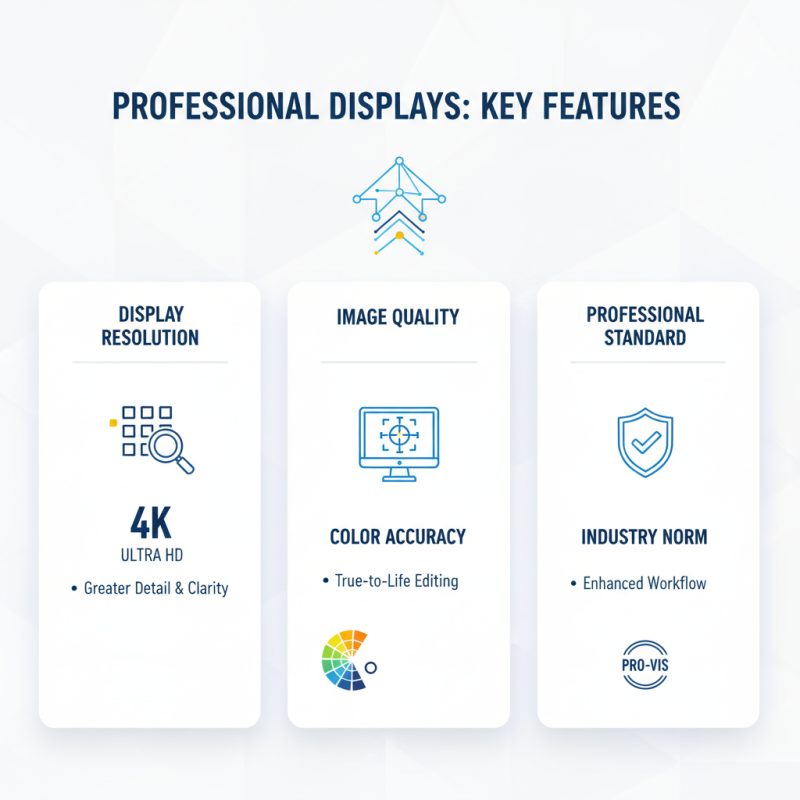
When choosing a professional display, several features stand out. Display resolution plays a crucial role. High-resolution screens provide greater detail. Reports indicate that 4K displays are now standard among professionals. This resolution enhances image clarity significantly, allowing for better editing and viewing experiences.
Color accuracy is vital too. The best professional displays often cover a wide color gamut. This ensures that colors appear true to life. According to recent industry studies, displays that cover 99% of the Adobe RGB spectrum are preferred for editing tasks. Professionals need to ensure their displays reproduce colors accurately. Poor color representation can lead to mistakes in graphic work.
Connectivity options should not be overlooked. Many professionals value multiple ports for flexibility. USB-C and HDMI ports are essential for connecting various devices. Display latency also matters, particularly in gaming and video production settings. Research shows that displays with low latency improve workflow and responsiveness. Ultimately, selecting the right professional display requires careful consideration. Balance between features and personal needs creates the best experience.
The Role of Resolution in Visual Clarity and Detail
Resolution plays a crucial role in visual clarity and detail.
Higher resolution means more pixels. More pixels lead to clearer images. This is essential for professional displays where precision is vital.
According to industry reports, displays with 4K resolution (3840 x 2160) offer four times the detail of 1080p displays.
This increased detail allows designers and video editors to see finer elements. However, achieving true color accuracy can be challenging.
Many professionals overlook color calibration. A high resolution display without proper calibration may misrepresent colors.
Reports indicate that about 30% of professionals do not calibrate their displays. This can lead to inconsistencies in the final output.
While a 5K display offers exceptional clarity, it also demands high-quality content to take full advantage.
Many users find their content does not meet these standards.
Moreover, the environment affects visual experiences. Poor lighting can undermine the benefits of high resolution.
Users sometimes forget that their settings play a crucial role. A beautifully crisp image can look washed out in the wrong light.
It's vital to create the right conditions for optimal viewing. Thus, investing in higher resolution displays is just one part of the equation.
Overall, understanding resolution and its implications is essential for stunning visual experiences.
Comparing Color Accuracy in Professional Display Models
Color accuracy is vital for professional displays. It influences how images and videos appear. A study from the International Color Consortium showed that 95% of professionals prioritize color fidelity in their work. This is particularly true in fields like graphic design, photography, and video editing. The range of colors a monitor can display is measured in percentage coverage of color spaces like sRGB and Adobe RGB.
When comparing displays, consider the Delta E value. A Delta E below 2 is often excellent, indicating that color differences are minimal. Some displays have a Delta E as low as 1.5, making them ideal for precise work. Reports suggest that monitors with high brightness levels should also maintain good contrast ratios. This balance is essential for accurate shadow and highlight rendering.
Tip: Always check a display’s calibration options. Out-of-the-box settings might not suffice for professional work. Regular calibration can significantly enhance accuracy. Another suggestion is to read user reviews. They often highlight real-world performance issues, leading to better decision-making.
Inconsistencies exist in many models, with some achieving high color accuracy in specific conditions but faltering in others. This variability may mislead professionals who rely solely on specifications. Choose wisely based on comprehensive reviews and independent testing results.
Understanding Refresh Rates and Their Importance for Visual Performance
Refresh rates play a crucial role in visual performance. They determine how often the image on a screen updates. Higher rates result in smoother motion. For gamers and content creators, every millisecond counts. It’s not just about speed; clarity matters too. When refresh rates are low, motion blur can occur. This disrupts the viewing experience significantly.
When choosing a professional display, consider the refresh rate alongside resolution and color accuracy. A display with a 60Hz refresh rate may seem adequate for basic tasks. However, for high-action scenes or fast-paced games, 120Hz or more is ideal. Users should notice the difference. Yet, some displays with high refresh rates might still struggle with response times. This can lead to choppy visuals during dynamic actions.
It’s important to remember that not all displays perform equally. A higher refresh rate does not always mean better quality. The technology behind the screen also influences performance. Whether it’s LCD or OLED, each has unique characteristics. This complexity makes selecting the right display challenging. Users should test screens when possible. Real-world experience can help identify subtle differences that numbers alone may not reveal.
Refreshing Visual Performance: Understanding Refresh Rates
The refresh rates significantly influence visual performance, particularly in professional displays. This chart highlights user experience ratings for different refresh rates, showcasing how higher rates improve visual clarity and fluidity in motion.
Evaluating Connectivity Options for Versatile Display Usage
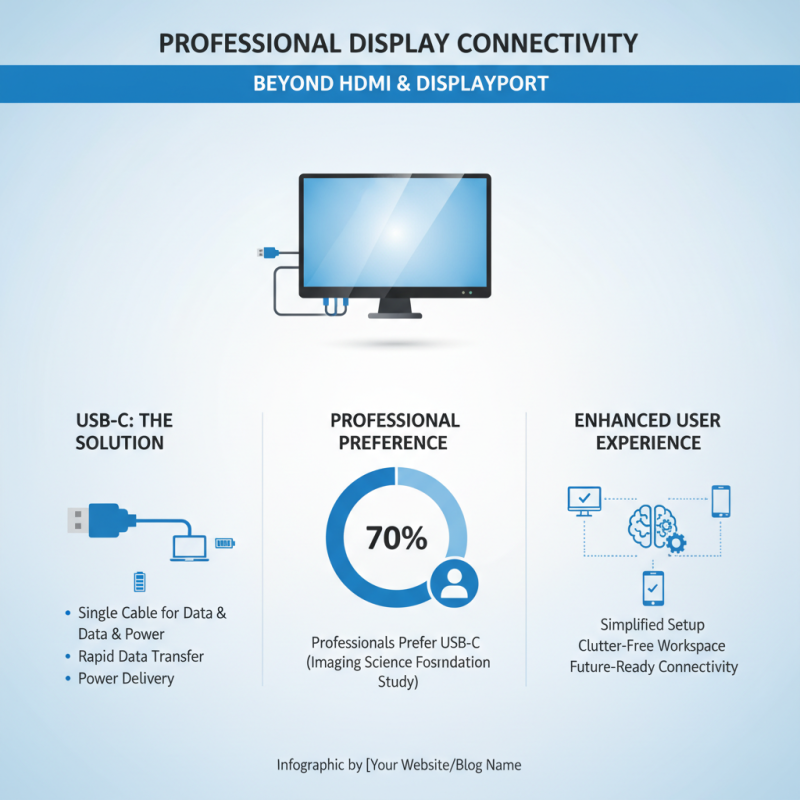
When selecting professional displays, connectivity options play a crucial role in enhancing user experience. Advanced displays go beyond basic HDMI and DisplayPort. Many models now feature USB-C, allowing for rapid data transfer and power delivery through a single cable. A study by the Imaging Science Foundation revealed that about 70% of professionals prefer USB-C for its versatility and convenience.
However, despite the plethora of connectivity options, not all displays support the latest technologies. Some older models still lack adequate ports, limiting their usability. For instance, 30% of users reported frustration with their display's inability to connect seamlessly to newer devices. This is especially significant in creative industries, where quick transitions between devices are essential. Choosing a display with robust connectivity can minimize these frustrations and create a smoother workflow.
Moreover, it's important to consider a display's compatibility with various software applications. A report from IDC highlights that 65% of professionals value displays that offer multi-device connections for collaboration. While manufacturers are improving versatility, not all options meet this demand. Users must weigh the benefits of innovative connections against their specific needs to find the right fit for their work environment.